Nimeesha Gulati
work
About
Contact
Nimeesha Gulati
work
About
Contact
Nimeesha Gulati
Braille Keyboard
Braille Keyboard
Braille Keyboard
self learning tool
self learning tool
self learning tool
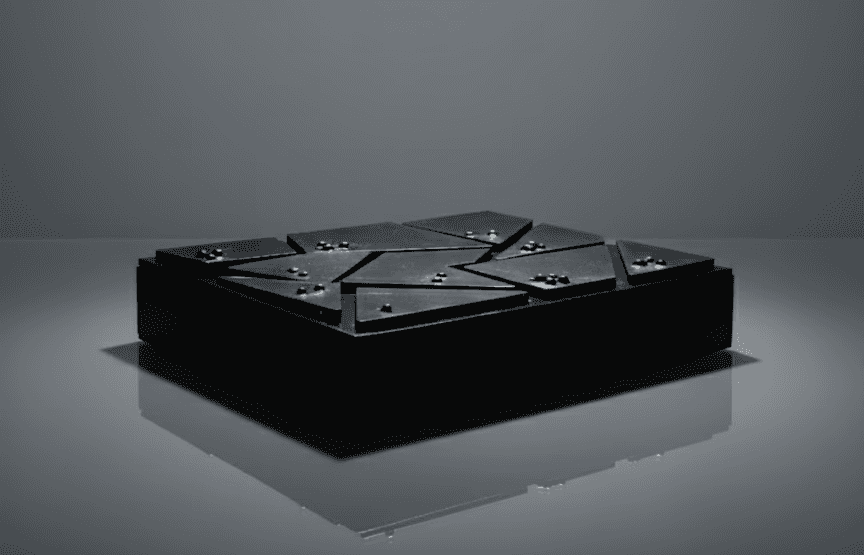
Challenge
Visually impaired individuals often face significant barriers when learning Braille, particularly with traditional methods that can be slow and disengaging. There is also a lack of independence in the available pedagogies.
Skills
User Research, Arduino Coding, Prototyping, 3D Modelling, Laser Cutting
My role
Interaction / Experience Designer (Individual Project)
Duration
4 weeks
Year
2023
Challenge
Visually impaired individuals often face significant barriers when learning Braille, particularly with traditional methods that can be slow and disengaging. There is also a lack of independence in the available pedagogies.
Skills
User Research, Arduino Coding, Prototyping, 3D Modelling, Laser Cutting
My role
Interaction / Experience Designer (Individual Project)
Duration
4 weeks
Year
2023
Challenge
Visually impaired individuals often face significant barriers when learning Braille, particularly with traditional methods that can be slow and disengaging. There is also a lack of independence in the available pedagogies.
Skills
User Research, Arduino Coding, Prototyping, 3D Modelling, Laser Cutting
My role
Interaction / Experience Designer (Individual Project)
Duration
4 weeks
Year
2023
Solution
Redefining accessibility and empowerment.
Redefining accessibility and empowerment.
Redefining accessibility and empowerment.
an educational tool that allows individuals to learn braille by themselves. With its tactile Braille buttons and immediate auditory feedback, users receive real-time guidance and reinforcement, making learning intuitive and engaging. While this keyboard solely focuses on numbers, I plan to develop another version that that is inclusive of all letters as well. Experience the innovation that bridges the gap between ability and possibility.
an educational tool that allows individuals to learn braille by themselves. With its tactile Braille buttons and immediate auditory feedback, users receive real-time guidance and reinforcement, making learning intuitive and engaging. While this keyboard solely focuses on numbers, I plan to develop another version that that is inclusive of all letters as well. Experience the innovation that bridges the gap between ability and possibility.
an educational tool that allows individuals to learn braille by themselves. With its tactile Braille buttons and immediate auditory feedback, users receive real-time guidance and reinforcement, making learning intuitive and engaging. While this keyboard solely focuses on numbers, I plan to develop another version that that is inclusive of all letters as well. Experience the innovation that bridges the gap between ability and possibility.
Research
Research
Goal
Understand the current barriers visually impaired individuals face when learning Braille.
Understand the current barriers visually impaired individuals face when learning Braille.
Understand the current barriers visually impaired individuals face when learning Braille.
Insights
Visually impaired learners rely heavily on "active touch."
Visually impaired learners rely heavily on "active touch."
Visually impaired learners rely heavily on "active touch."
Design Decision: I designed the keys with unique shapes (laser-cut acrylic) rather than standard square keys to aid in tactile orientation before the user even presses the button.
Feedback loops are critical for learning new motor skills.
Feedback loops are critical for learning new motor skills.
Feedback loops are critical for learning new motor skills.
Design Decision: I integrated the Adafruit Audio FX board to provide immediate auditory confirmation. If users press "1", they hear "One" instantly, reinforcing the connection between the tactile pattern and the concept.
Cognitive load is high when learning Braille.
Cognitive load is high when learning Braille.
Cognitive load is high when learning Braille.
Design Decision: I narrowed the scope to numbers only for this MVP. This reduces overwhelm and allows the user to master a specific set of patterns (0-9) before moving to the entire alphabet.
Ideation
User Persona
"I like playing with my toys that talk to me. I want to learn Braille so I can read my own books and play more games by myself!"
Liam
Occupation: Student
Age: 6
Location: Toronto
BIOgraphy
A curious and lively 6-year-old who was born blind. He learns through touch and sound, exploring the world around him with enthusiasm. Supported by his family and educators, Liam is beginning his journey with Braille and needs tools that make learning fun, engaging, and empowering.
Goals
Short attention span typical of his age.
Requires immediate feedback to reinforce learning and avoid discouragement.
Needs tactile, hands-on learning experiences to fully engage.
Needs & Wants
Engaging, interactive learning tools.
Tactile learning experiences with real-time feedback.
Opportunities to build independence and confidence.
Frustration
Slow learning progress without instant feedback.
Feelings of helplessness when reliant on others for help.
Boredom with traditional, non-interactive learning tools.
Motivation
Feels joy and pride when learning something new independently.
Gets excited about discovering new games and stories on his own.
Loves exploring through touch, sound, and interactive play.
"I like playing with my toys that talk to me. I want to learn Braille so I can read my own books and play more games by myself!"
Liam
Occupation: Student
Age: 6
Location: Toronto
BIOgraphy
A curious and lively 6-year-old who was born blind. He learns through touch and sound, exploring the world around him with enthusiasm. Supported by his family and educators, Liam is beginning his journey with Braille and needs tools that make learning fun, engaging, and empowering.
Goals
Short attention span typical of his age.
Requires immediate feedback to reinforce learning and avoid discouragement.
Needs tactile, hands-on learning experiences to fully engage.
Needs & Wants
Engaging, interactive learning tools.
Tactile learning experiences with real-time feedback.
Opportunities to build independence and confidence.
Frustration
Slow learning progress without instant feedback.
Feelings of helplessness when reliant on others for help.
Boredom with traditional, non-interactive learning tools.
Motivation
Feels joy and pride when learning something new independently.
Gets excited about discovering new games and stories on his own.
Loves exploring through touch, sound, and interactive play.
Liam
Occupation: Student
Age: 6
Location: Toronto
"I like playing with my toys that talk to me. I want to learn Braille so I can read my own books and play more games by myself!"
BIOgraphy
A curious and lively 6-year-old who was born blind. He learns through touch and sound, exploring the world around him with enthusiasm. Supported by his family and educators, Liam is beginning his journey with Braille and needs tools that make learning fun, engaging, and empowering.
Goals
Short attention span typical of his age.
Requires immediate feedback to reinforce learning and avoid discouragement.
Needs tactile, hands-on learning experiences to fully engage.
Needs & Wants
Engaging, interactive learning tools.
Tactile learning experiences with real-time feedback.
Opportunities to build independence and confidence.
Frustration
Slow learning progress without instant feedback.
Feelings of helplessness when reliant on others for help.
Boredom with traditional, non-interactive learning tools.
Motivation
Feels joy and pride when learning something new independently.
Gets excited about discovering new games and stories on his own.
Loves exploring through touch, sound, and interactive play.
How might we create a learning tool that provides instant feedback without relying on a sighted teacher?
How might we create a learning tool that provides instant feedback without relying on a sighted teacher?
How might we create a learning tool that provides instant feedback without relying on a sighted teacher?
Braille Keyboard
Braille Keyboard
Braille Keyboard
Conventional keyboard keys
X
braille number
X
auditory feedback
Conventional keyboard keys
X
braille number
X
auditory feedback
Conventional keyboard keys
X
braille number
X
auditory feedback
Sensory Play
Sensory Play
Sensory Play
Creating games with braille, learning gamified
Creating games with braille, learning gamified
Creating games with braille, learning gamified
Smart Braille
Smart Braille
Smart Braille
what if AI could support braille learning
what if AI could support braille learning
what if AI could support braille learning
Braille Audiobook
Braille Audiobook
Braille Audiobook
Audiobook paired with Braille numbers on print
Audiobook paired with Braille numbers on print
Audiobook paired with Braille numbers on print
what if there's a technology that can protrude braille keys as soon as you say something?
what if there's a technology that can protrude braille keys as soon as you say something?
what if there's a technology that can protrude braille keys as soon as you say something?
Braille lego
Braille lego
Braille lego
Game based tactile learning
Game based tactile learning
Braille crossword, puzzle, scrabble, boggle??
Braille crossword, puzzle, scrabble, boggle??
Braille crossword, puzzle, scrabble, boggle??
Braille UNO
Braille UNO
Braille UNO
numbers on cards will be in braille
numbers on cards will be in braille
numbers on cards will be in braille
Ideation
Concept
Development
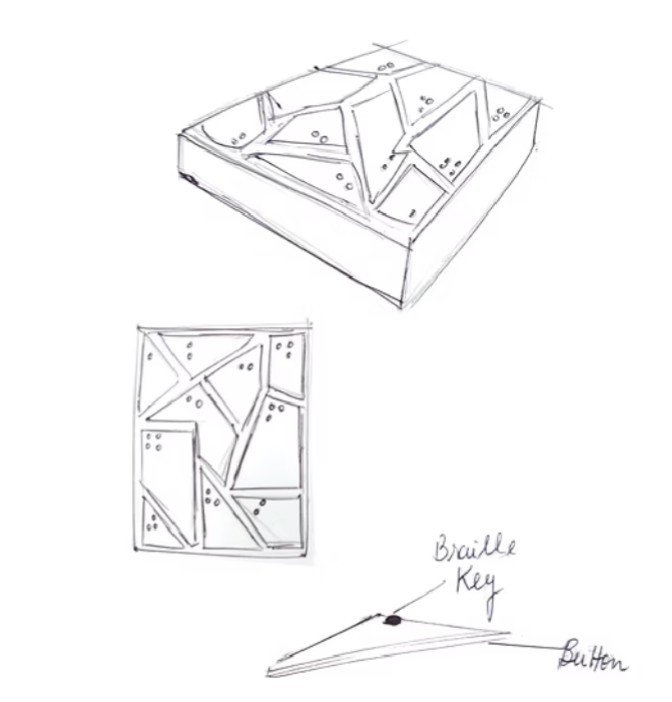
I moved away from standard uniform keys and designed unique, distinct geometric shapes for the button surfaces. Since visually impaired users rely on 'active touch,' the physical shape of the key acts as a guide, allowing the user to orient themselves on the board before they even commit to a button press.
Concept Development
Prototype
Prototyping
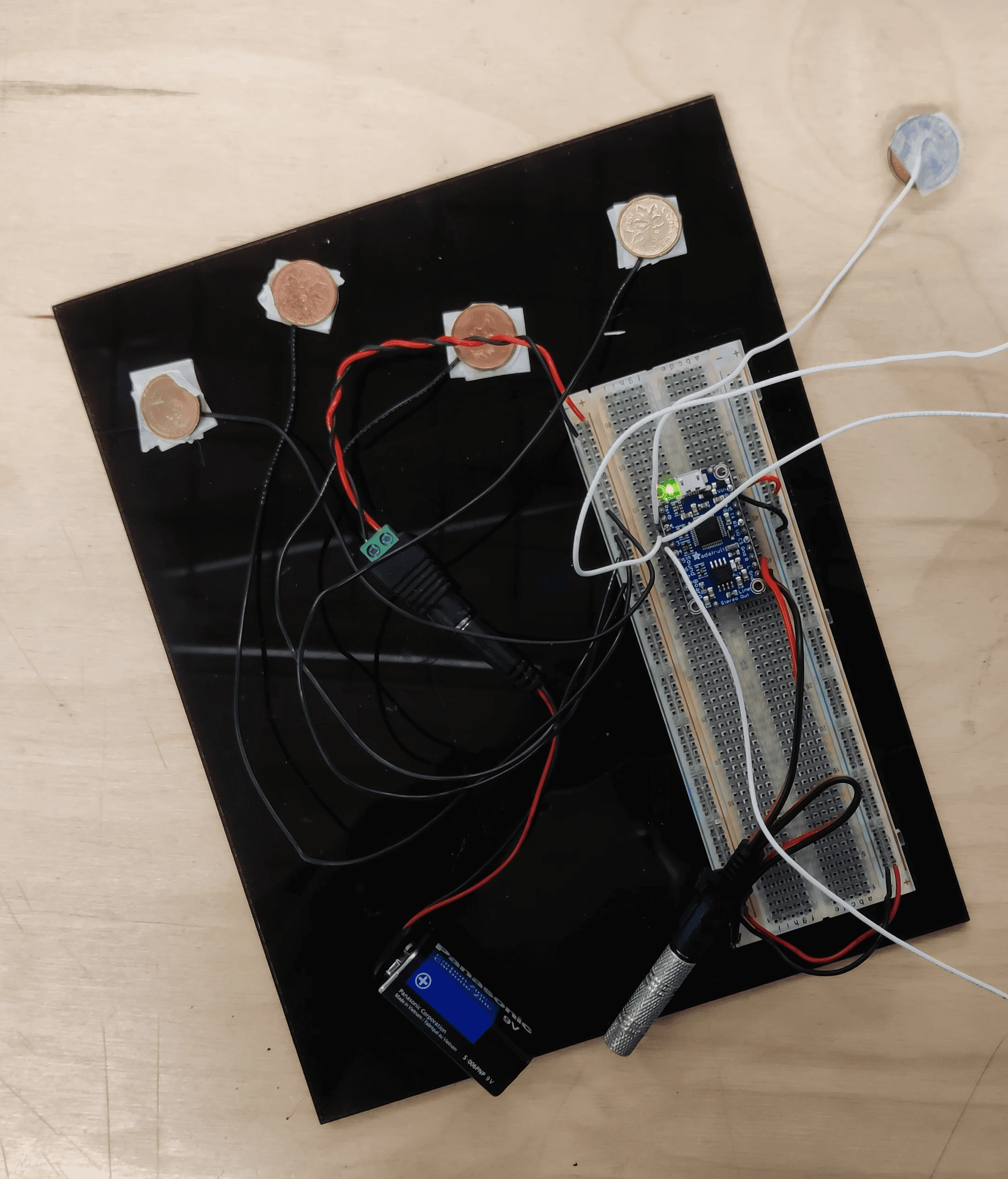
"My initial prototype using pennies failed due to weight issues. This failure was crucial. It forced me to pivot to a mechanical silicone-pad solution, which ultimately provided much better haptic feedback for the user."
"My initial prototype using pennies failed due to weight issues. This failure was crucial. It forced me to pivot to a mechanical silicone-pad solution, which ultimately provided much better haptic feedback for the user."
"My initial prototype using pennies failed due to weight issues. This failure was crucial. It forced me to pivot to a mechanical silicone-pad solution, which ultimately provided much better haptic feedback for the user."
Technology
Created a simple working prototype to ensure the working of the sound module by using pennies as buttons. The sound module worked but turned out pennies were too heavy to be used as buttons; they kept making a button connection involuntarily due to their weight. The wiring worked out perfectly.
Technology
Created a simple working prototype to ensure the working of the sound module by using pennies as buttons. The sound module worked but turned out pennies were too heavy to be used as buttons; they kept making a button connection involuntarily due to their weight. The wiring worked out perfectly.
Technology
Created a simple working prototype to ensure the working of the sound module by using pennies as buttons. The sound module worked but turned out pennies were too heavy to be used as buttons; they kept making a button connection involuntarily due to their weight. The wiring worked out perfectly.
Buttons
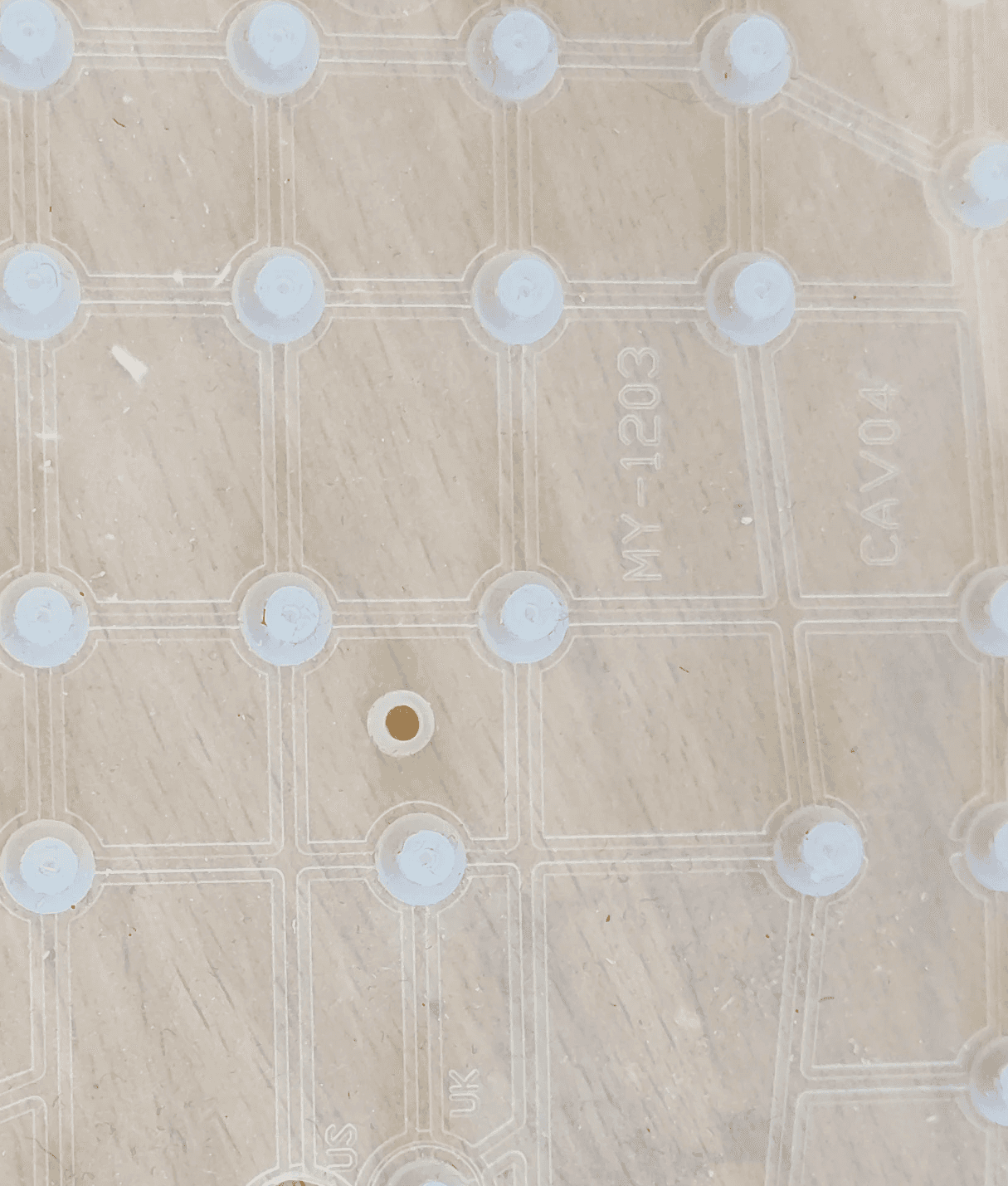
The buttons were created by repurposing the silicone button pad from a broken keyboard. The tactile button surface was created by laser cutting the button shape on an acrylic sheet.
Buttons
The buttons were created by repurposing the silicone button pad from a broken keyboard. The tactile button surface was created by laser cutting the button shape on an acrylic sheet.
Buttons
The buttons were created by repurposing the silicone button pad from a broken keyboard. The tactile button surface was created by laser cutting the button shape on an acrylic sheet.
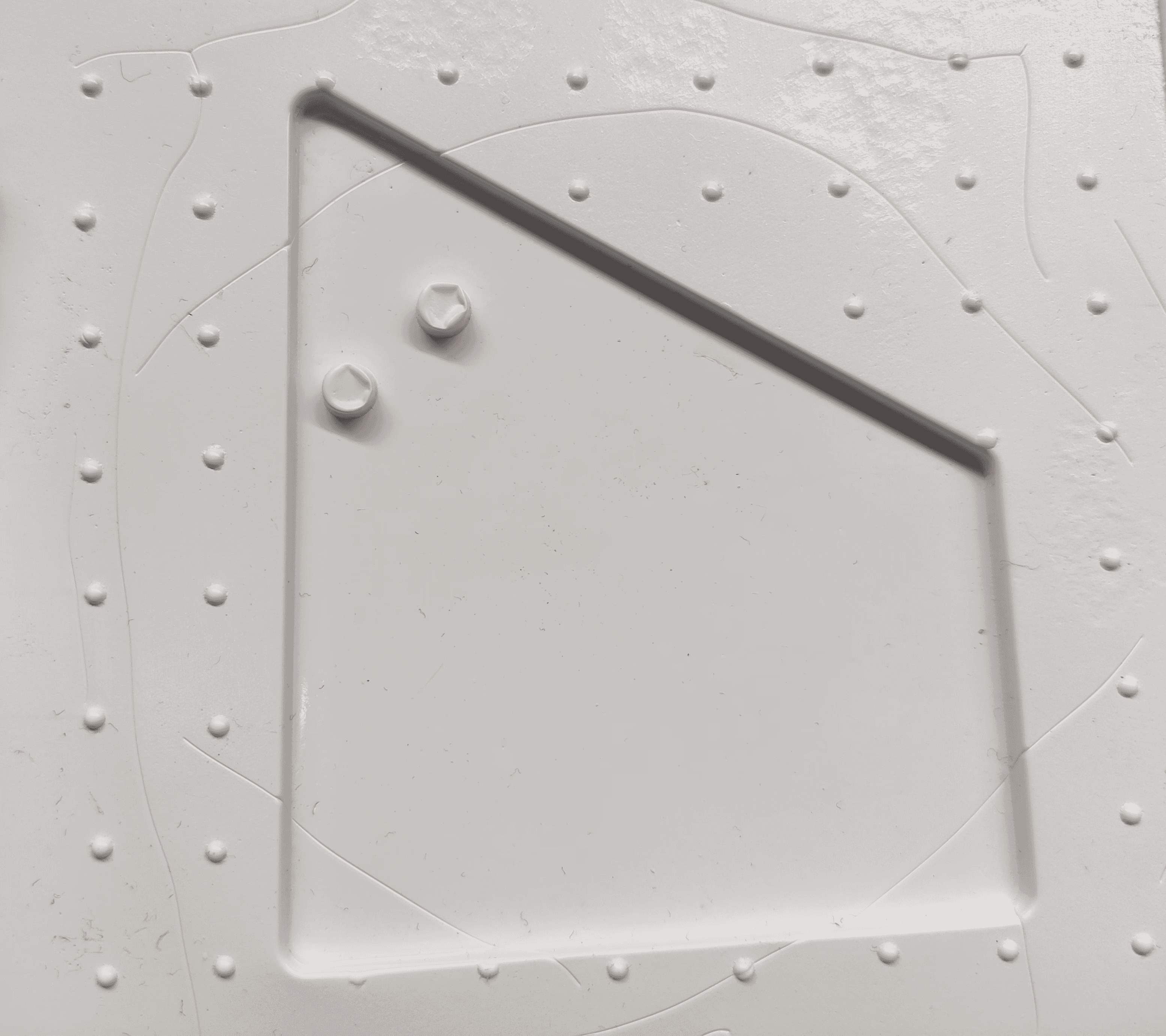
Braille keys
The hardest part of this project turned out to be making the braille keys. I have used a combination of vacuum forming and mold-making techniques to make the keys. An enormous amount of time , energy and effort was spent on vacuum forming the keys and then using resin to create a mold the keys.
Braille keys
The hardest part of this project turned out to be making the braille keys. I have used a combination of vacuum forming and mold-making techniques to make the keys. An enormous amount of time , energy and effort was spent on vacuum forming the keys and then using resin to create a mold the keys.
Braille keys
The hardest part of this project turned out to be making the braille keys. I have used a combination of vacuum forming and mold-making techniques to make the keys. An enormous amount of time , energy and effort was spent on vacuum forming the keys and then using resin to create a mold the keys.
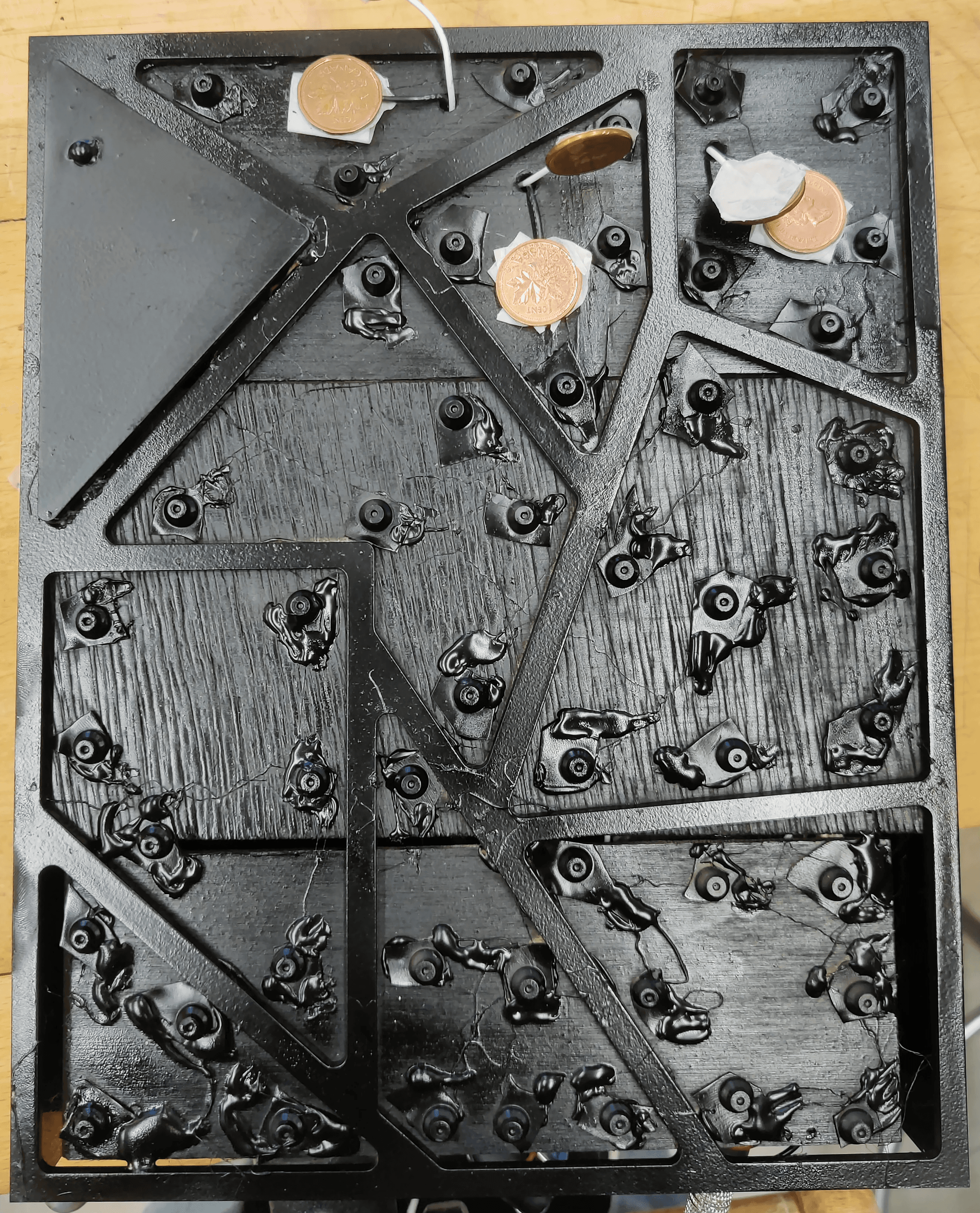
Construction
All components were integrated into one black acrylic box with the button structure with the braille keys as the top and the technology structure right below it in the base.
Construction
All components were integrated into one black acrylic box with the button structure with the braille keys as the top and the technology structure right below it in the base.
Construction
All components were integrated into one black acrylic box with the button structure with the braille keys as the top and the technology structure right below it in the base.
Reflection
For the next prototype, I aim to create a fully touch-based Braille keyboard, eliminating the need for physical buttons while enhancing accessibility and user experience. The design will feature a metal top and base connection, allowing users to receive immediate haptic and auditory feedback upon touch. This would provide real-time confirmation of input, improving typing accuracy and responsiveness. By integrating capacitive touch technology, users can interact seamlessly, reducing effort and enhancing fluidity. This approach not only modernizes the device but also makes it more durable and intuitive. Future iterations will prioritize user testing and material refinement to optimize comfort and usability.
Reflection
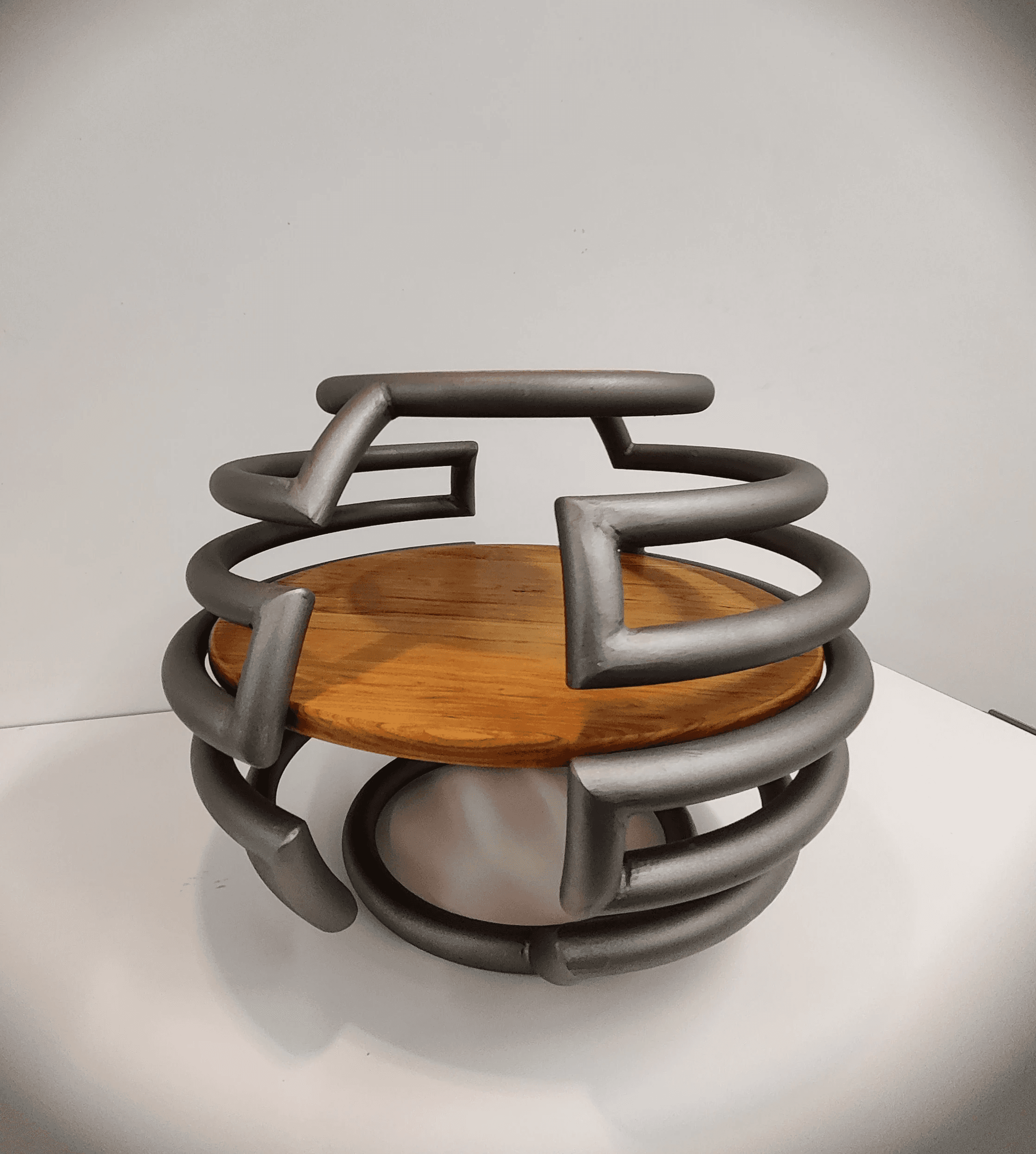
RoundAbout
Product Designer & Fabricator
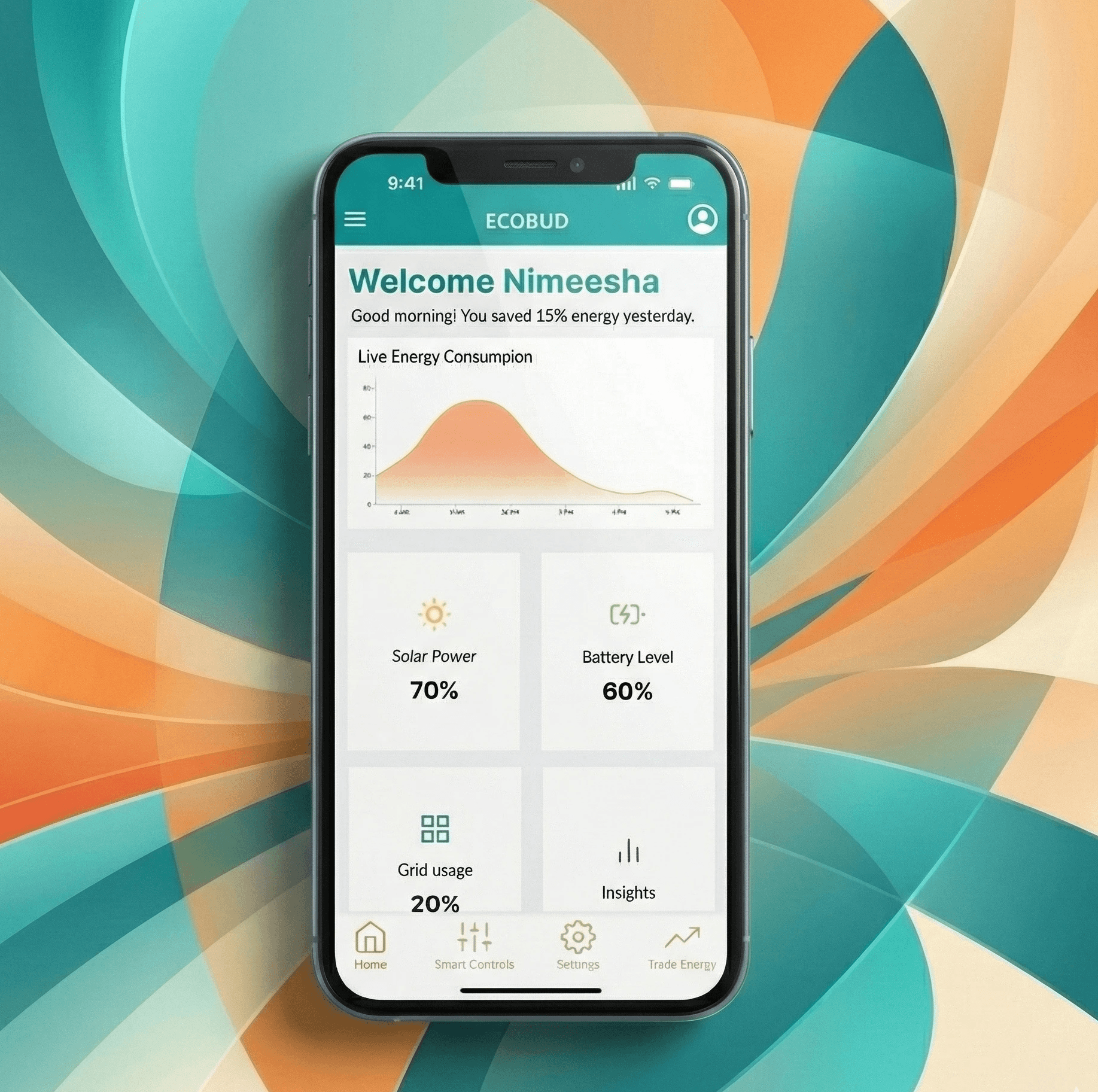
EcoBud
Product Experience Designer
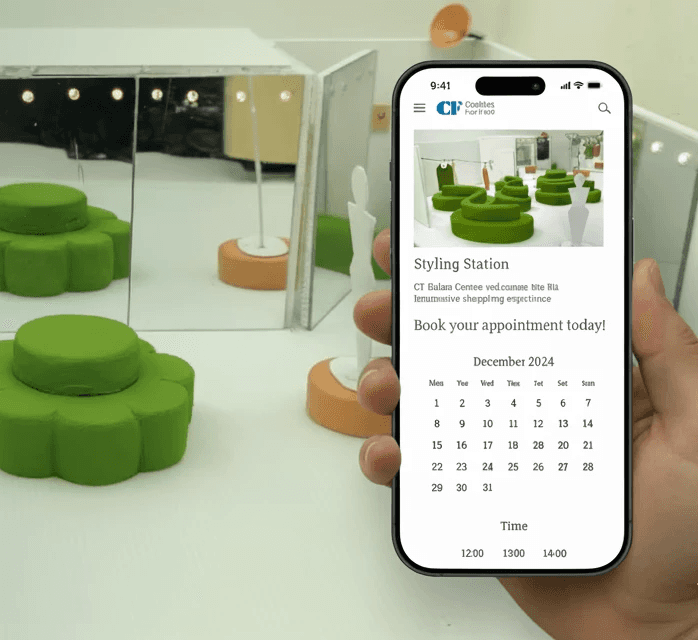
Styling Station
Experience & Service Designer
Next up
Nimeesha Gulati
Toronto, On
Created in framer
@2026
RoundAbout
Product Designer & Fabricator
EcoBud
Product Experience Designer
Styling Station
Experience & Service Designer
Next up
Nimeesha Gulati
Toronto, On
Created in framer
@2026
RoundAbout
Furniture Designer
EcoBud
Product Experience Designer
Styling Station
Experience & Service Designer
Next up
Nimeesha Gulati
Toronto, On
Created in framer
@2026